
 Welcome, Guest Blogger

See the links, if you want to skip to any specific section.
- Why Default WooCommerce Variations Display Falls Short
- Display Variations as Individual Products
- Use Color and Image Swatches
- Enable Variation Quick View
- Use AJAX for Seamless Interaction
- Highlight Variation-Specific Images
- Optimize Variation Layout for Mobile Users
- Group Variations Smartly
- Improve SEO with Variation Pages
- Add Clear Pricing and Availability
- Use a Dedicated Plugin for Advanced Display
- Conclusion
Are your product variations costing you sales? Ever clicked on a product and felt lost? Too many options. Hidden choices. Confusing layouts. Then you leave. Happens all the time. And that’s exactly what’s happening in many online stores using WooCommerce Variations.
Most store owners don’t even realize it. They set up products, add options, and think it’s enough. But customers? They don’t want to “search” inside a product. They want to see everything fast. No guessing. No digging.
Here’s the thing. When WooCommerce product variations are buried inside dropdowns, users get tired. They hesitate. And hesitation kills sales.
Imagine this. A customer wants a black hoodie in medium. They click. Then select a color. Then size. Then wait. Maybe the image updates maybe not. It’s slow. Feels outdated. They leave. Now imagine instead:
- All colors visible instantly
- Sizes clickable
- Images are changing in real time
Feels better. Feels modern. Feels easy.
That’s what this article is about—fixing that experience. Making your WooCommerce Variations actually work for you, not against you.
Why Default WooCommerce Variations Display Falls Short
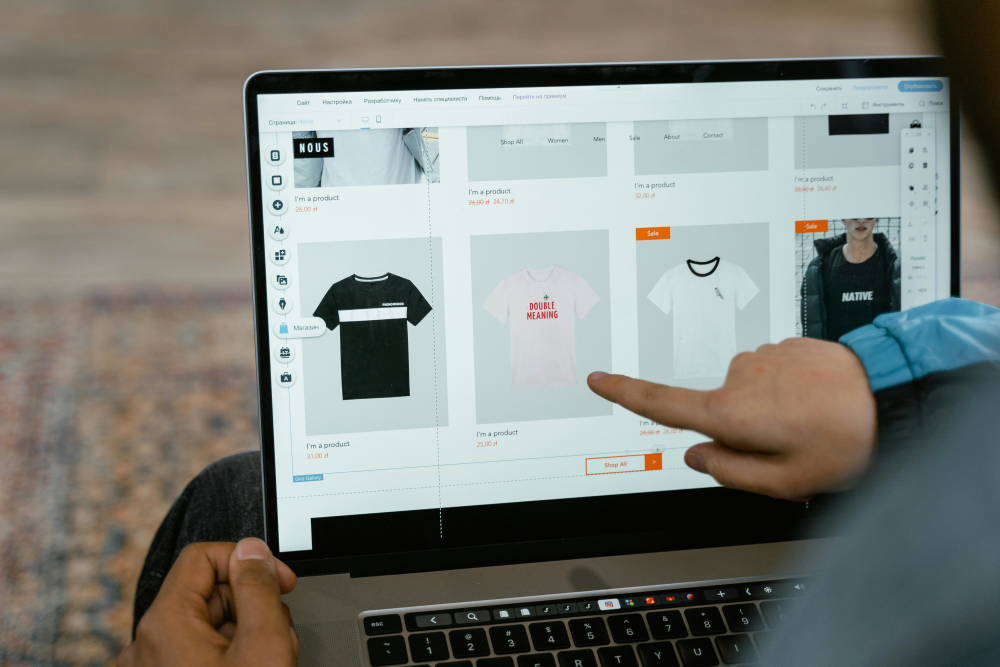
- Hidden options
- Slow interaction
- No visual clarity
And then gone. The biggest problem with WooCommerce Product Variations in default mode is visibility. Customers can’t see what exists unless they interact. And most won’t. Also:
- Mobile users struggle more
- Dropdowns feel outdated
- No emotional connection
It’s not broken. But it’s not optimized either. And in ecommerce, “not optimized” means lost money.
1. Display Variations as Individual Products
This is where things start getting interesting. Instead of hiding variations, you show them all. Right there. On the shop page. Every variation becomes its own product. Sounds simple. But powerful.

A store owner once switched to this method. Clothing niche. Before? Low engagement. After? Customers were clicking more and browsing longer. Sales went up. Not overnight but steady. Why? Because people saw more.
- Red shirt → visible
- Blue shirt → visible
- Large, small, medium → all there
No guessing. No clicking inside. Benefits hit instantly:
- More exposure
- Better navigation
- Easier filtering
Honestly, it just looks richer—a fuller store. Search engines like it too. More pages. More keywords. More chances to rank. It’s not just a display. It’s a strategy.
2. Use Color and Image Swatches
- Small color circles
- Mini product images
- Clickable size labels
Feels interactive. Feels alive. A shopper once said, “I didn’t even think, I just clicked the color I liked.” That’s the goal. No thinking. Just action. Swatches remove friction:
- No reading long lists
- No confusion
- Faster decisions
And yeah, it looks modern too. You can mix:
- Color swatches
- Image swatches
- Text labels
Each has its place. Together? Even better.
3. Enable Variation Quick View
Here’s something subtle but powerful. Quick view. Customer browsing. They don’t want to open every product page. That’s effort. So instead:
- Click quick view
- Popup appears
- Select variation
- Add to cart
Done. No page reload. No distraction. It keeps the momentum going. And momentum matters. Think about it:
- Less time wasted
- More products explored
- Higher chances of purchase
It’s like window shopping but faster. And users love speed. Always.
4. Use AJAX for Seamless Interaction
Speed again. Always comes back to this. AJAX sounds technical. But it’s simple in effect. Things happen instantly. You click a variation and:
- Image changes
- Price updates
- Stock info refreshes
No loading. No flicker. Feels smooth. Almost invisible. Without AJAX?
- Page reloads
- Delays happen
- Users get annoyed
Annoyed users don’t buy. Modern ecommerce isn’t just about products. It’s about experience. And smooth experience wins.
5. Highlight Variation-Specific Images
Someone ordered a product online. Selected “green”. But the image never changed. They thought it was fine. Product arrived. Wrong shade. Not what they expected. They didn’t come back. That’s the cost of bad visuals. Each variation needs its own image. Not optional. Necessary. Because:
- People trust what they see
- Visuals reduce doubt
- Better clarity = more confidence
Best approach:
- Unique images per variation
- Same angles for consistency
- High quality always
Even small details matter. Lighting. Background. Everything. It’s not just design. It’s trust-building.
6. Optimize Variation Layout for Mobile Users
- Clean
- Clickable
- Fast
Avoid tiny buttons. Avoid clutter. Instead:
- Large swatches
- Clear spacing
- Simple design
Test it yourself. Open your store on the phone. Try buying something. If it feels annoying, your customers feel it too.
7. Group Variations Smartly
Not all variations are equal. Some matters more. Grouping helps users navigate better. Instead of throwing everything at once, you guide them. Example:
- First choose color
- Then size
Simple flow. Logical. Or highlight:
- Best sellers
- Popular choices
- Limited stock
This creates direction. Without grouping, users feel lost. With grouping, they feel guided. And guided users convert more.
8. Improve SEO with Variation Pages
Here’s something many overlook. SEO. Each variation can be an opportunity. A new entry point. Instead of one product ranking multiple variations can rank. Imagine:
- “Black hoodie medium”
- “Red hoodie large”
Different searches. Same product family. By optimizing WooCommerce Product Variations, you:
- Increase visibility
- Target long-tail keywords
- Attract specific buyers
It’s not instant. Takes time. But worth it.
More pages. More traffic. More chances.
9. Add Clear Pricing and Availability
Uncertainty kills decisions. If users don’t know:
- Price
- Stock
- Availability
They hesitate. And hesitation leads to exit. So be clear. Always. Show:
- Price changes instantly
- Stock status
- Discounts if any
Even simple labels help:
- “Only 2 left”
- “Out of stock”
It creates urgency and clarity.
10. Use a Dedicated Plugin for Advanced Display
At some point default WooCommerce isn’t enough. You need more control. More flexibility. That’s where plugins come in. Good plugins offer:
- Variation grids
- Swatches
- Quick view
- AJAX features
All in one place. Instead of patching things manually, you get a complete system. Honestly, it saves time. Choosing the right tool matters. Because it shapes how your WooCommerce variations behave.
Conclusion
If customers can’t see your variations, they won’t buy them. If they struggle, they leave. But when things are clear. Fast. Visual. Easy. They stay. They explore. They buy. That’s the power of well-optimized WooCommerce Product Variations.

You’re not just improving design. You’re improving experience. And experience drives everything. So, take a step back. Look at your store. Ask yourself:
- Is it easy to choose?
- Is it fast?
- Is it clear?
If not, now you know what to fix. Small changes. Big impact.
Read Next
The following articles are related to best ways to display product variations in woocommerce store.